Libration Media turns any video or audio file into captions, a transcript and, if you want, further languages – from the WordPress media library or as a plain upload. The machine does the legwork, you read it once, and the reviewed caption track is attached to the video automatically. That makes videos accessible to deaf and hard-of-hearing people (WCAG 1.2.2) – and search engines finally find what is being said.
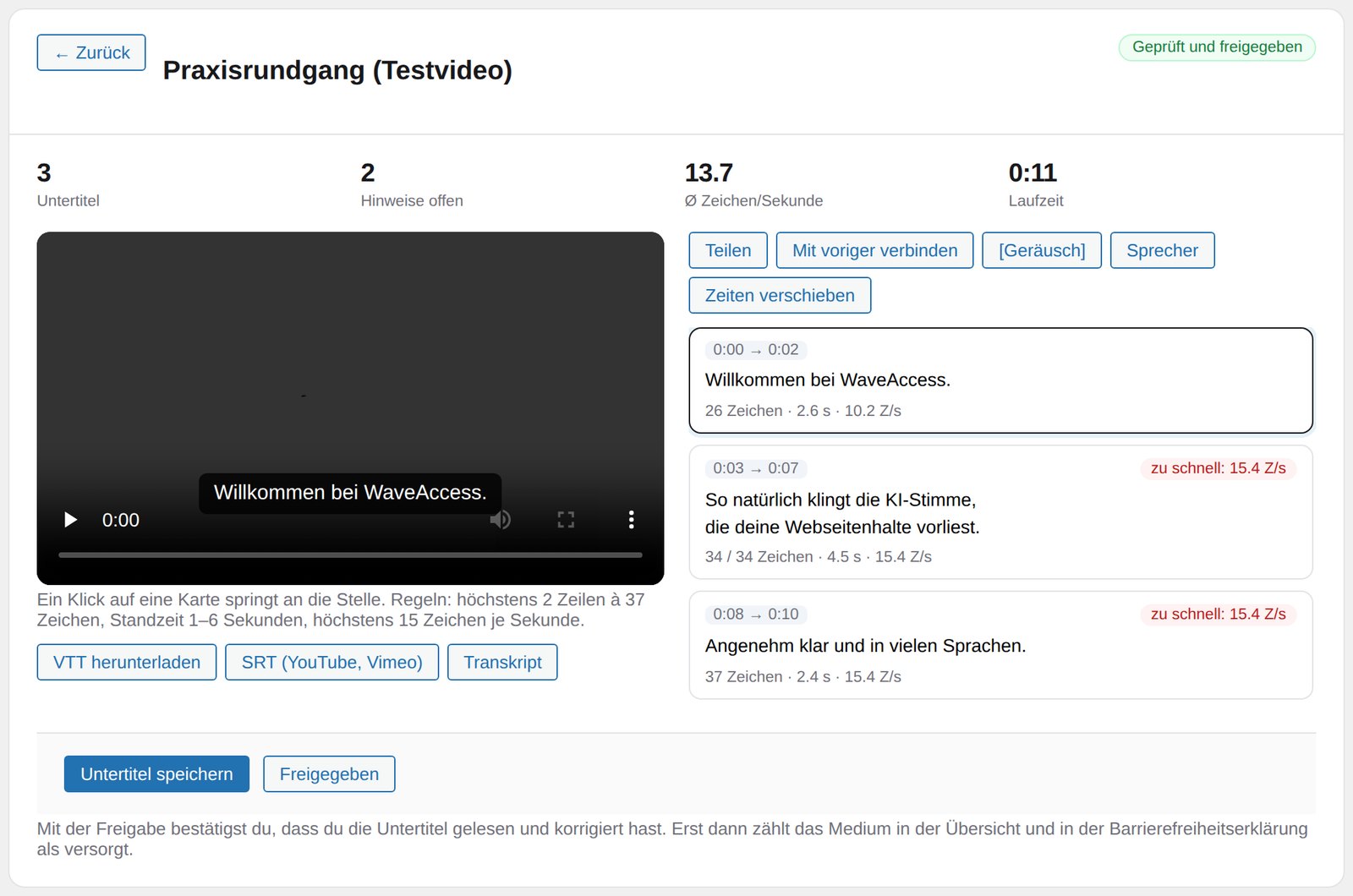
The caption editor: video on the left, on the right every cue with character count, duration and reading speed. Anything that breaks the standard is flagged.
Four steps to reviewed captions
This is what the work actually looks like in the plugin – nothing staged, all from the shipping version.
1. Inventory
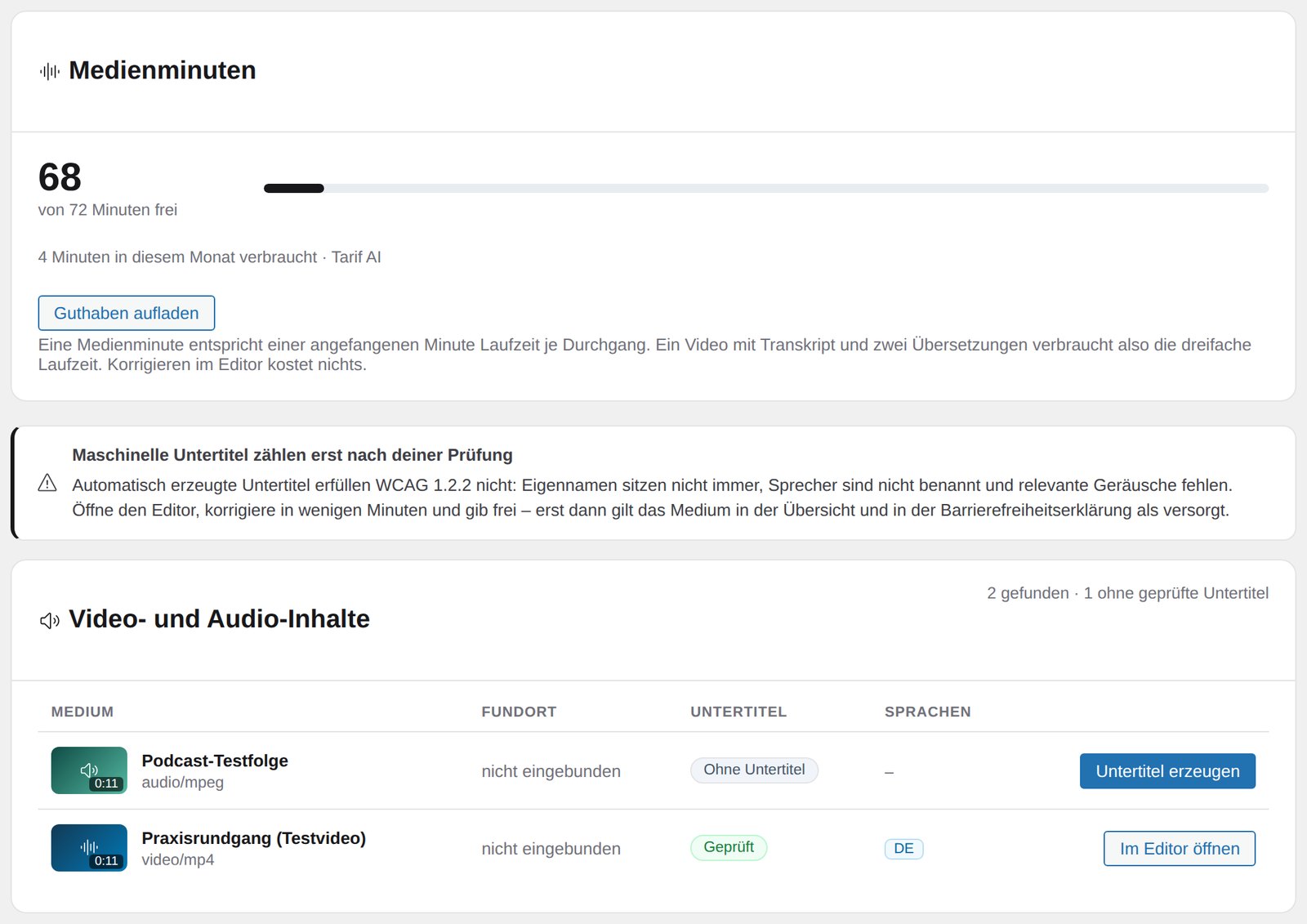
The “Media” tab lists every video and audio file on the site with duration, where it is used and caption status. At the top you see how many media minutes are left.
2. Review
The editor shows characters per line, duration and reading speed for every cue. Split or merge cues, add speakers and sounds, shift timings – the warnings disappear as you type.
3. Release
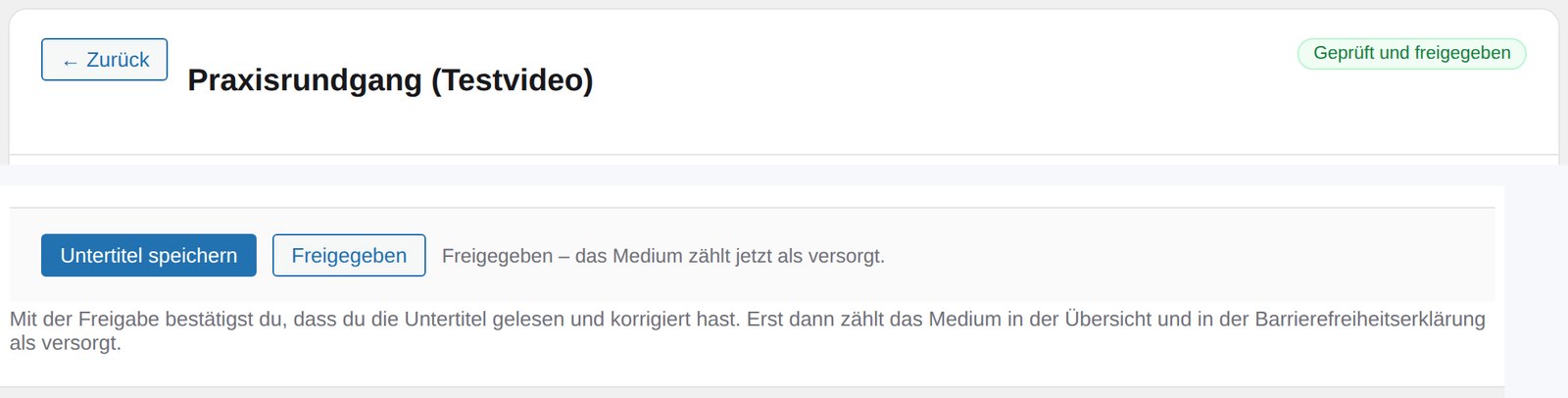
One deliberate click turns “machine generated” into a reviewed result. Only then does the item count as done in the overview and in your accessibility statement.
4. Deliver
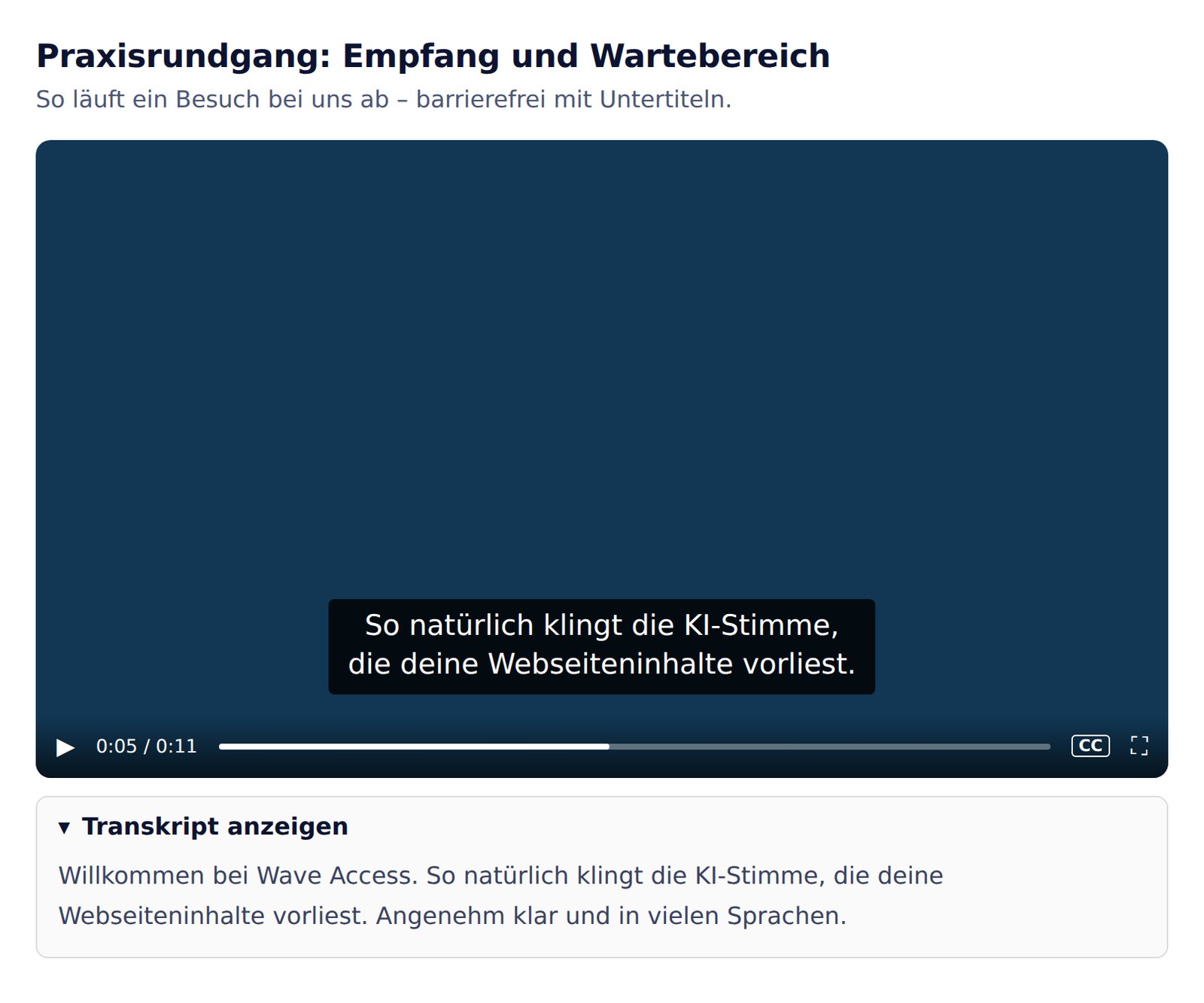
The caption track is attached to the video when the page is delivered – even for videos placed by a page builder. Below it, an expandable transcript can be shown.
1 of 4
What you get
WebVTT: The caption track for your own site – attached automatically.
SRT: The same captions for YouTube, Vimeo and social networks.
Transcript: The full text as a file and as an expandable section below the media. For audio-only it satisfies criterion 1.2.1 and helps search engines.
More languages: Translated captions on the same timings – one file per language.
Automation alone does not satisfy WCAG 1.2.2This is where most providers get sloppy. Machine captions get proper names wrong, they do not identify speakers and they do not catch relevant sounds – yet criterion 1.2.2 explicitly asks for both. That is why captions here stay “unreviewed” until you release them in the editor. Only then do they count as done inside the plugin. Getting there takes minutes rather than hours – but it stays your call.
Media minutes
One media minute is a started minute of running time per pass. An eight-minute video with a transcript and two translations therefore uses 24 minutes. Editing costs nothing, purchased minutes are valid for 12 months.
For the captions delivered: yes, once you have reviewed and released them. For the website as a whole: that depends on many more things. Libration Media delivers text tracks, not legal certainty.
Can you caption YouTube videos?
Not directly – third-party platforms cannot be fed from outside. Process the original file and upload the SRT to YouTube or Vimeo afterwards.
How long does it take?
A ten-minute video is usually done in one to two minutes. For longer files you get an e-mail as soon as the result is ready.
Do I need WordPress?
No. It is most convenient from WordPress because the caption track is attached automatically. Without WordPress you upload the file and download VTT, SRT and transcript.
What about audio description?
We deliberately do not offer it yet. What gets described is an editorial decision – a model that describes every frame produces noise, not access.
What leaves the server – and what does notOnly the audio track is processed: we extract it at 16 kHz in mono, which is about one megabyte per ten minutes. The video file itself is deleted right afterwards and never leaves your website. Transcription runs at a processor outside the EU; this is covered in the data processing agreement, and for recordings with identifiable people or confidential content you should know that beforehand.